
2.3.2. EtherCAT Master Setup
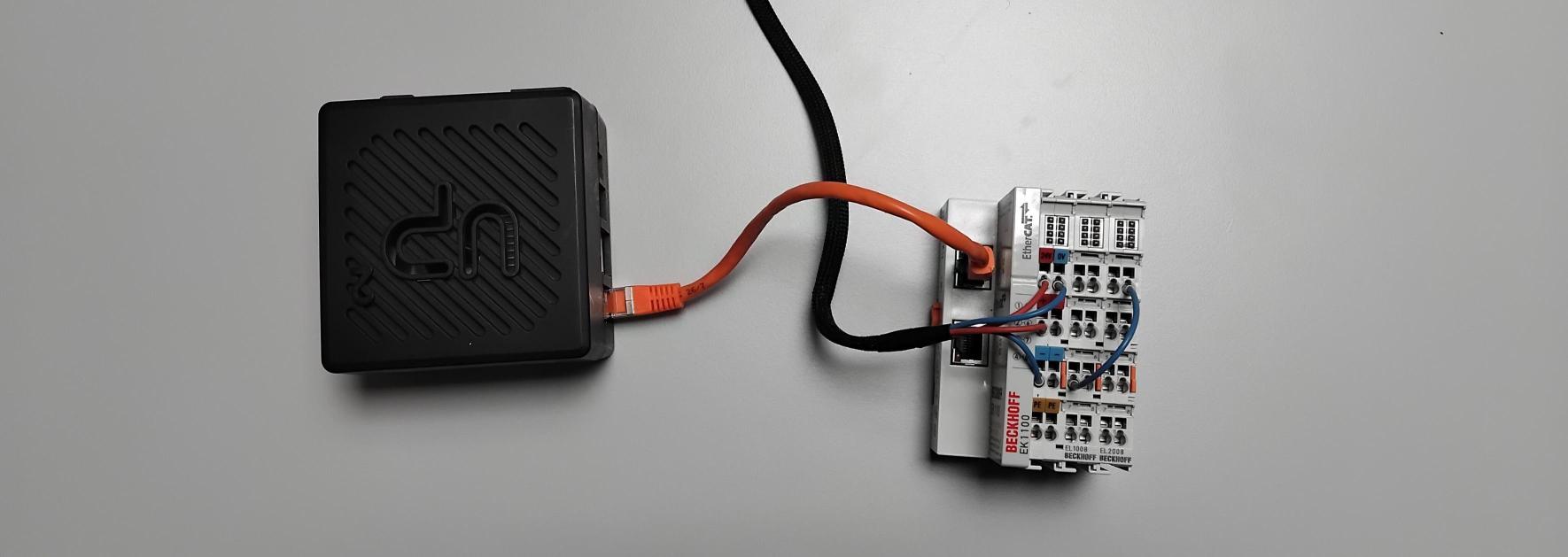
Once the ENI file has been created according to the previous steps, the EtherCAT devices can be connected to the target IPC and supplied with power, see Fig. 11.
2.3.2.1. Docker Compose File
The following folder structure is used in this example. The ENI file was stored in the subfolder data.
Create a new docker-compose.yml file inside the dio_example directory.
📂dio_example/
  🖹docker-compose.yml
  📂data/
    🖹eni.xml
docker-compose.yml
The ethercat-master service contains the voraus EtherCAT Master executable, as the name suggests.
This docker container requires four capabilities, the reasons for this are described in the respective comments of the
code examples.
 1services:
 2  ethercat-master:
 3    image: voraus.jfrog.io/docker/voraus-ethercat-master:1.3.0
 4    network_mode: host  # needed for raw socket communication
 5    pid: host           # needed for codemeter runtime on host
 6    cap_add:
 7      - CAP_NET_ADMIN # needed for setting the interface into promiscuous mode
 8      - CAP_NET_RAW   # needed for raw socket communication
 9      - CAP_IPC_LOCK  # needed for memory locking
10      - CAP_SYS_NICE  # needed for using SCHED_FIFO with a priority
11    devices:
12      - /dev/cpu_dma_latency:/dev/cpu_dma_latency # needed for sleep state prevention
13    volumes:
14      - ./data/:/root/data/ # contains eni file and logs
15    environment:
16      - ECAT_ENI=/root/data/eni.xml
17      - ECAT_CYCLETIME=2000
18      - ECAT_INTERFACE=${INTERFACE}
19      - ECAT_LOG_DIR=/root/data/log
20      - ECAT_OPCUA_PORT=${OPCUA_PORT}
21      - ECAT_CPU_AFFINITY=1 # This CPU is isolated on the target system
2.3.2.2. Executing the Master
The master can be started and stopped with the following commands inside the dio_example folder. Further information on docker compose can be found here.
# Starting the voraus EtherCAT master.
docker compose up -d
# Stopping the voraus EtherCAT master.
docker compose down