
4. Examples
Note
This chapter assumes that you followed the steps described in Getting Started to set up the Roboception integration into the voraus.core.
4.1. Creating the first bin picking program
This chapter describes the implementation of a simple pick and place program using the BoxPick command. It assumes that the camera has a valid Hand-Eye calibration and that you know how to create programs with the voraus.core. In case of questions, please follow the Software Overview chapter in the voraus software manual.
You will need an object that is suitable for the BoxPick command. Place it in the field of view of the camera and configure the BoxPick command within the Roboception Web GUI to detect this object (see Configuring the Roboception database and detection modules). This section will guide you through the necessary steps required to automate the detection of objects and using the positions inside a robotics application with the voraus.operator.
Navigate to the home screen of the voraus.operator and create a new program.
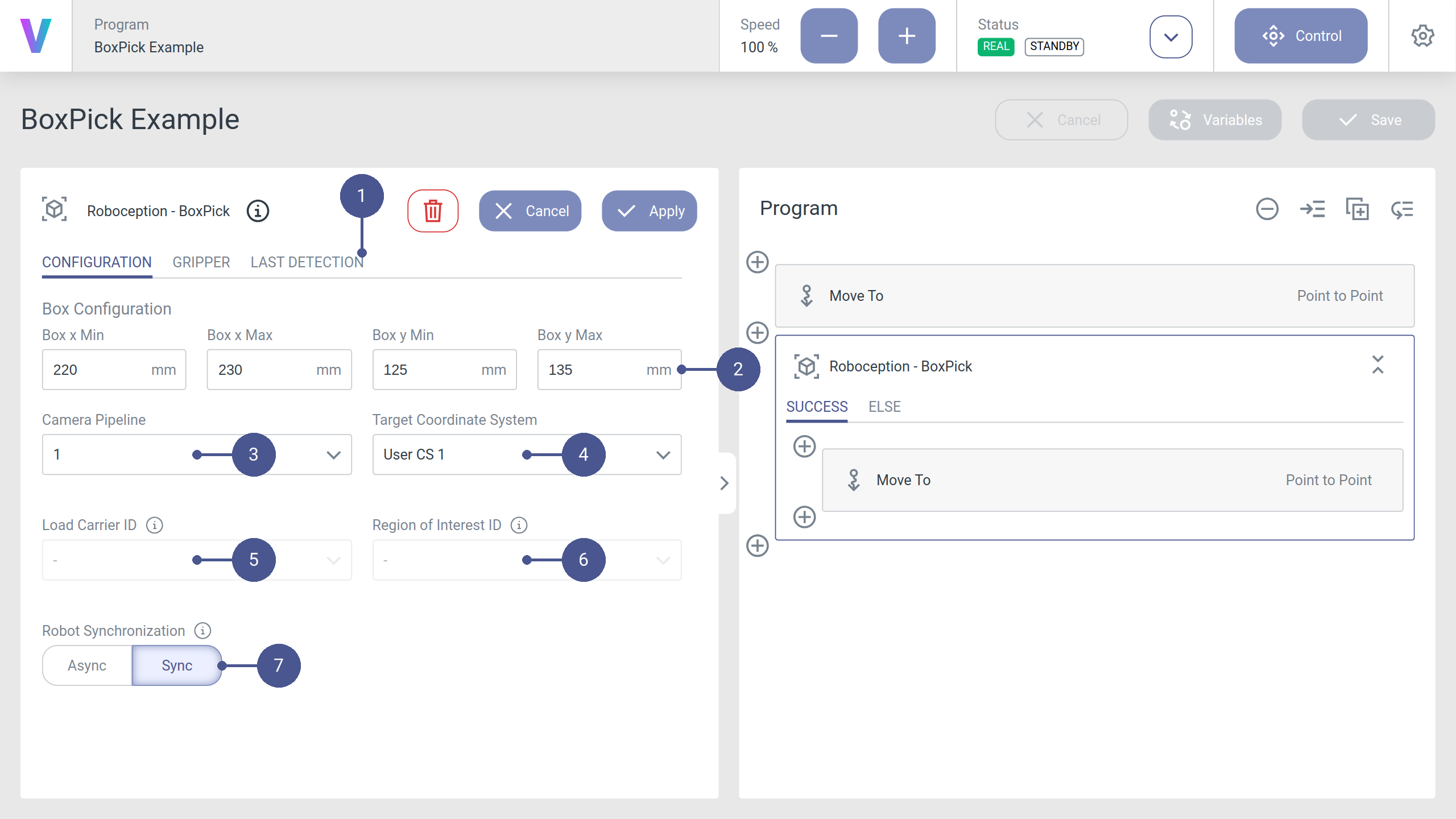
Add and edit the BoxPick command and configure the parameters to the same values used in the Roboception Web GUI. Select the Camera Pipeline of the camera you want to use and define the Target Coordinate System (User CS 1) to which the best detected object pose will be stored (Fig. 27).
Optionally, configure the gripper and collision detection parameters in order to automatically detect and avoid collisions (Fig. 28).
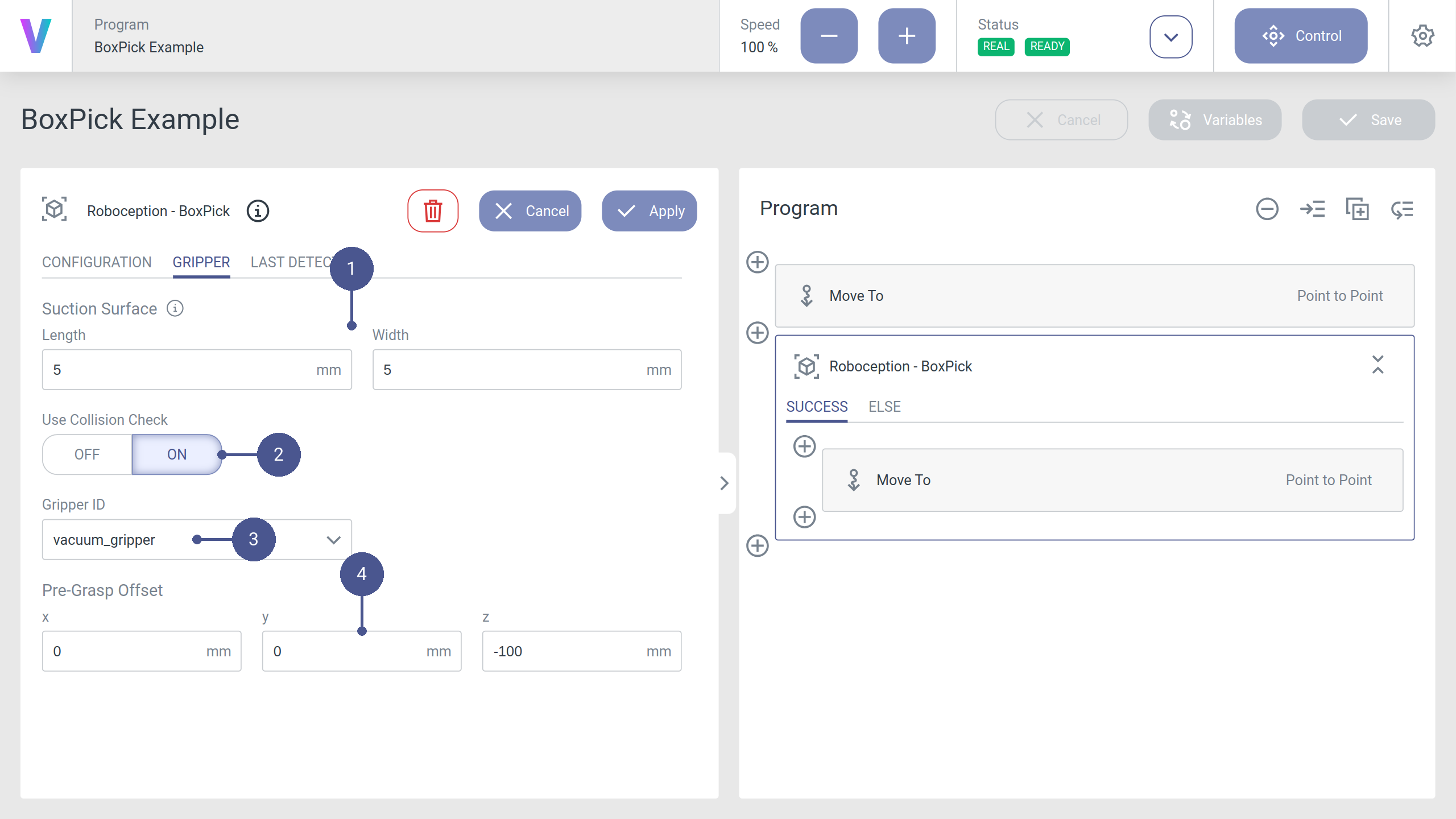
Fig. 28 The gripper configuration tab inside the BoxPick command
Note
For a detailed overview of every configuration option, please refer to Roboception - BoxPick.
In the SUCCESS branch of the BoxPick command, add a movement command, select the user CS you specified in the detection command and set all coordinate values to zero. This will be your target pose.
Warning
Do not use z-offsets for the target pose. The system should already be calibrated. If the detected grasping pose does not match with the real world position, your system might no longer be calibrated properly. Please recalibrate your system, see Hand-Eye Calibration of the camera for more information. Additionally you can check the configured transformation of your selected tool in the voraus.operator.
Depending on the workspace, it might be advisable to add a second movement command before the one mentioned above, which serves as an intermediate pose with some distance to the object to be grasped. The z-direction of the detected grasping poses points downwards. If you want to define a pose above the object, set the z-position to a negative value.
Once this program is executed, the robot will detect an object and move directly to the defined grasping point. Afterwards you will see the last detection result visualized in the according tab. An example for this can be found in Fig. 29. It is also visible if the detection was executed within the Roboception Web GUI.
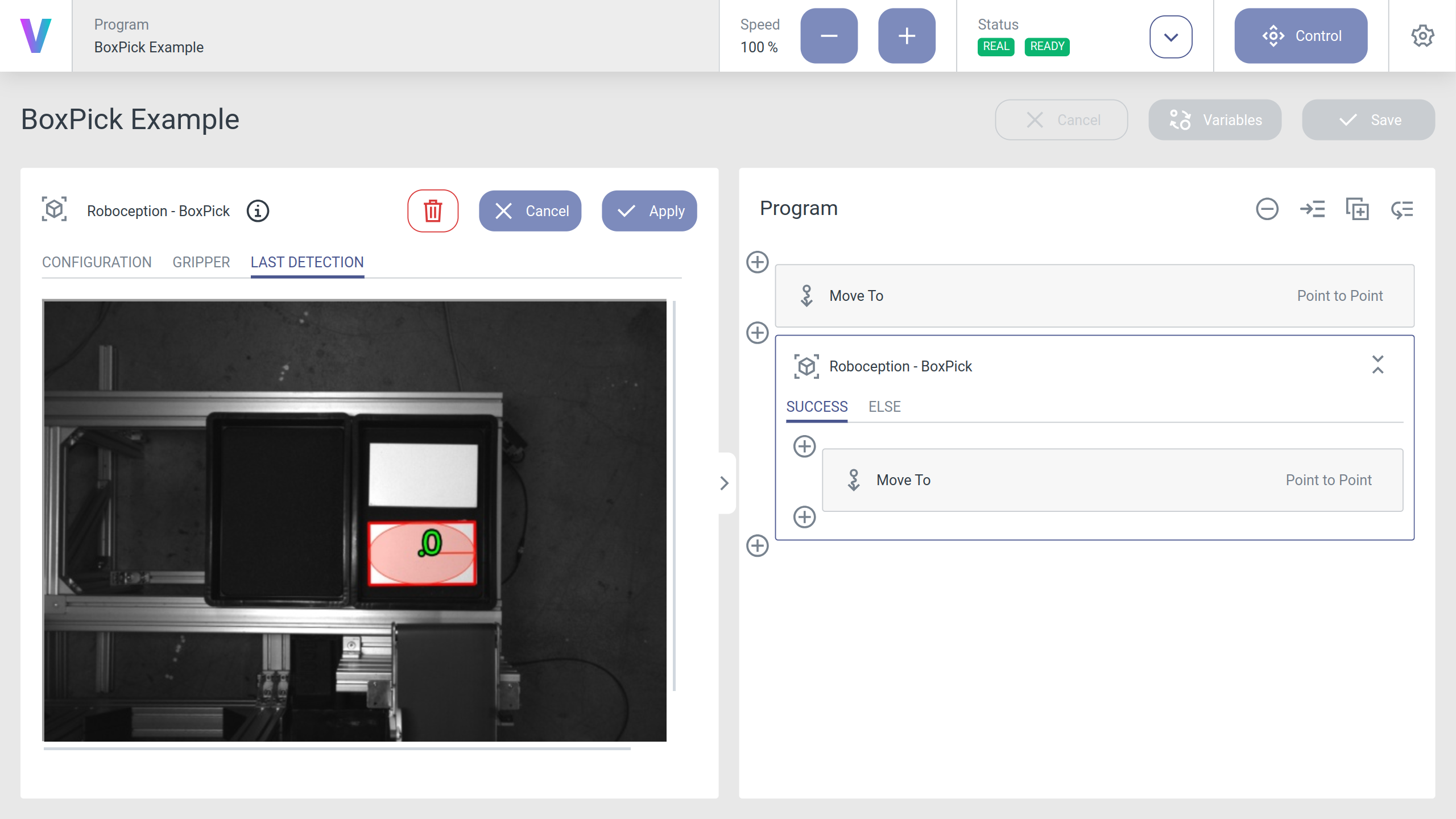
Fig. 29 Example of the last detection tab inside the BoxPick command
Now you can extend the program iteratively. E.g. insert a tool command to grab the object, improve the movement of the robot to the object by defining a prior pose and implementing a section where the object is placed at a target position. Please refer to the Software Overview chapter in the voraus software manual of your voraus.core.