Jogging
Jogging moves one axis at a time: a single joint, or a single Cartesian axis of the tool center point.
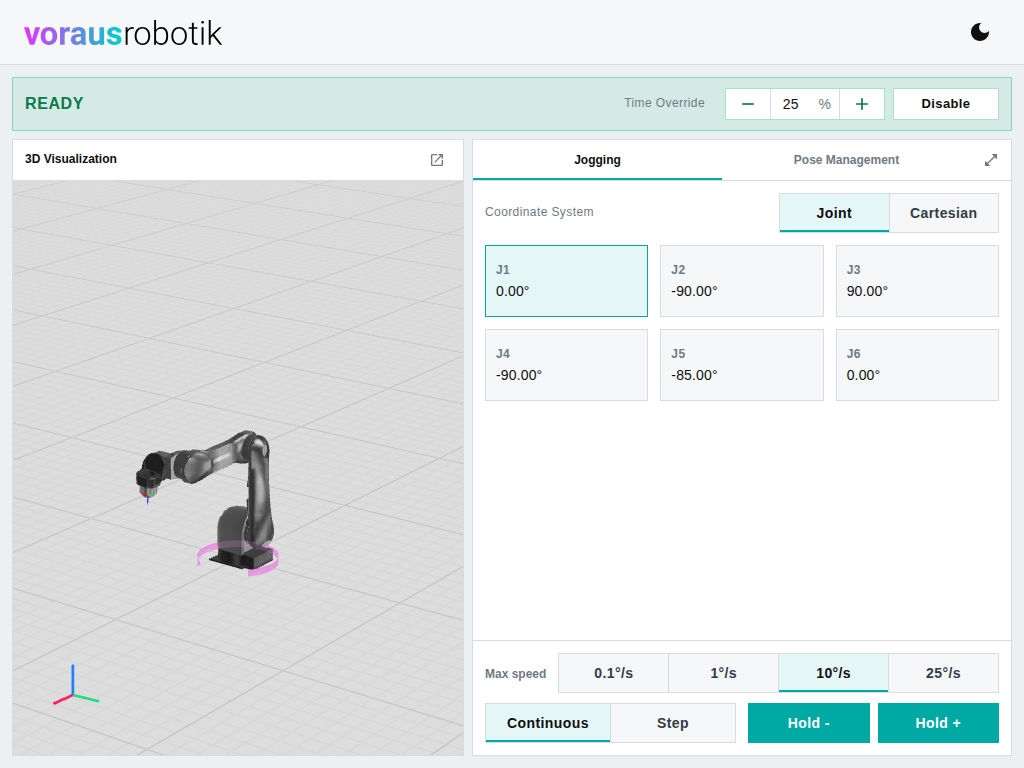
Joint lists the joints of the robot, Cartesian the six axes of the tool center point in the robot base frame. Click a tile to select the axis. The 3D visualization draws a magenta arrow along it, so you see where Hold + will move the robot. The selection is remembered per coordinate system.
In Continuous mode, Hold - and Hold + move the axis in the negative or positive direction while pressed. In Step mode, Step - and Step + move the axis by one step per press. Keep the button pressed until the step is complete. If you release it early, the robot stops where it is.
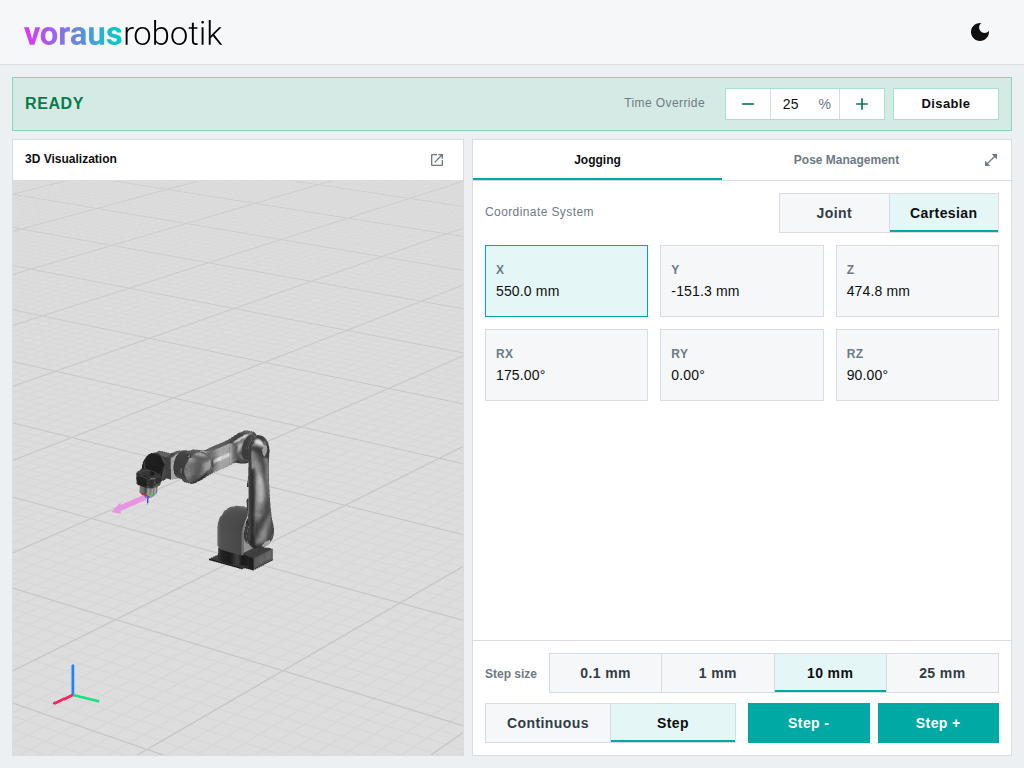
The row above the buttons selects the speed or the step size. Its presets depend on the mode and on whether the selected axis rotates or translates:
| Mode | Rotating axis | Translating axis |
|---|---|---|
| Continuous, Max speed | 0.1, 1, 10, 25 °/s | 0.1, 1, 50, 100 mm/s |
| Step, Step size | 0.1, 0.5, 1, 5 ° | 0.1, 1, 10, 25 mm |
The choice is remembered separately for rotating and translating axes. The Time Override applies on top.