Robot status and controls
The status bar shows the state of Robot Control and adapts its controls to it:
READYandACTIVE: The drives are on. The motion controls of Jogging and Pose Management are enabled, the button reads Disable and switches the drives off.STANDBY: The drives are off. The button reads Enable and switches them on.ERROR: The status bar shows the error number and message, the button reads Reset and acknowledges the error. Click the message to read it in full when it is cut off.GRAVCOMP,STOPPING,RESET,COLLISIONREACTION,INITandSHUTDOWN: The motion controls are disabled.
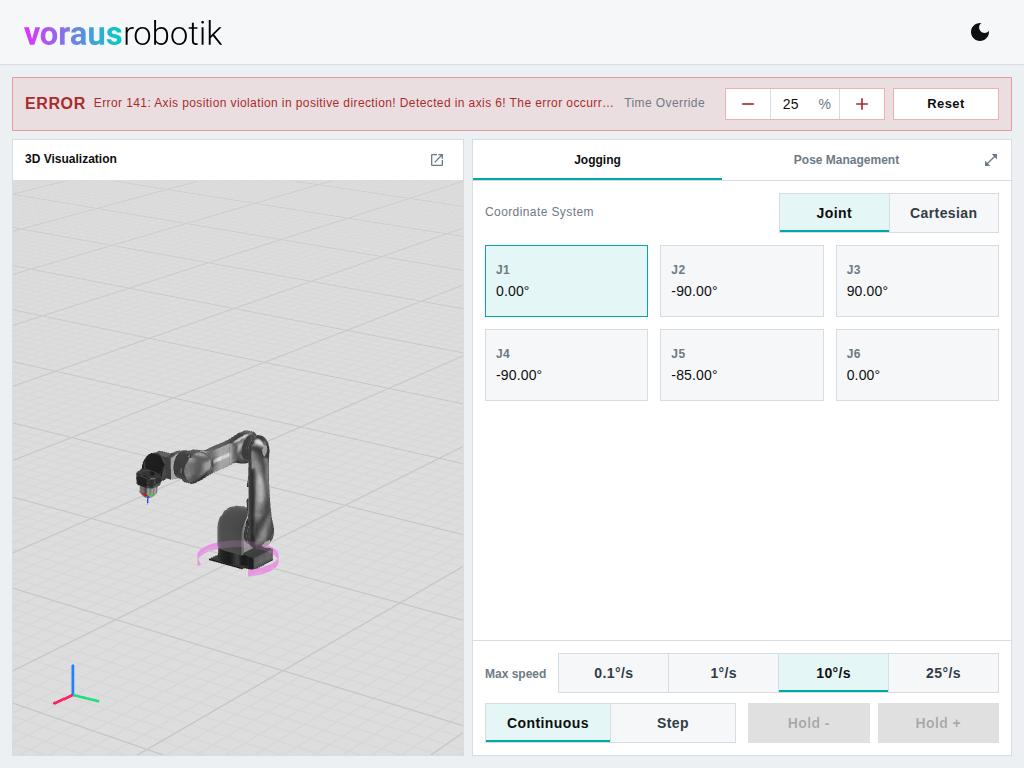
Time Override sets the speed override of Robot Control in percent. The minus and plus buttons change it in steps of 10 percent. You can also type a value between 0 and 100 into the field and confirm it with Enter or by leaving the field. A value set by another client is shown here as well.