
Geometric Primitives
Geometry objects, including box, sphere, and cylinder, have all the basic properties described in Object Instructions.
Since primitives need a MeshStandardMaterial to be created (either provided or default), the material
property allows for manipulation of said material.
Important
Manipulating the material property of a geometry object will affect all objects using the same material.
If individual material manipulation is desired, create a new material and assign it to the object.
The same default material is used for all geometry objects that do not receive an explicit material on creation.
Mesh Standard Material
The MeshStandardMaterial has the following additional properties that can be updated via instructions:
depth_test: Changing whether to enable the depth test when rendering this material.transparency: The new transparency value (between 0 and 1) of the material.color: The color of the material.
Color
Accessing the color attribute allows for a setting of either all RGB values via rgb
or each color channel individually. Note, the color values must be in the range from 0 to 1.
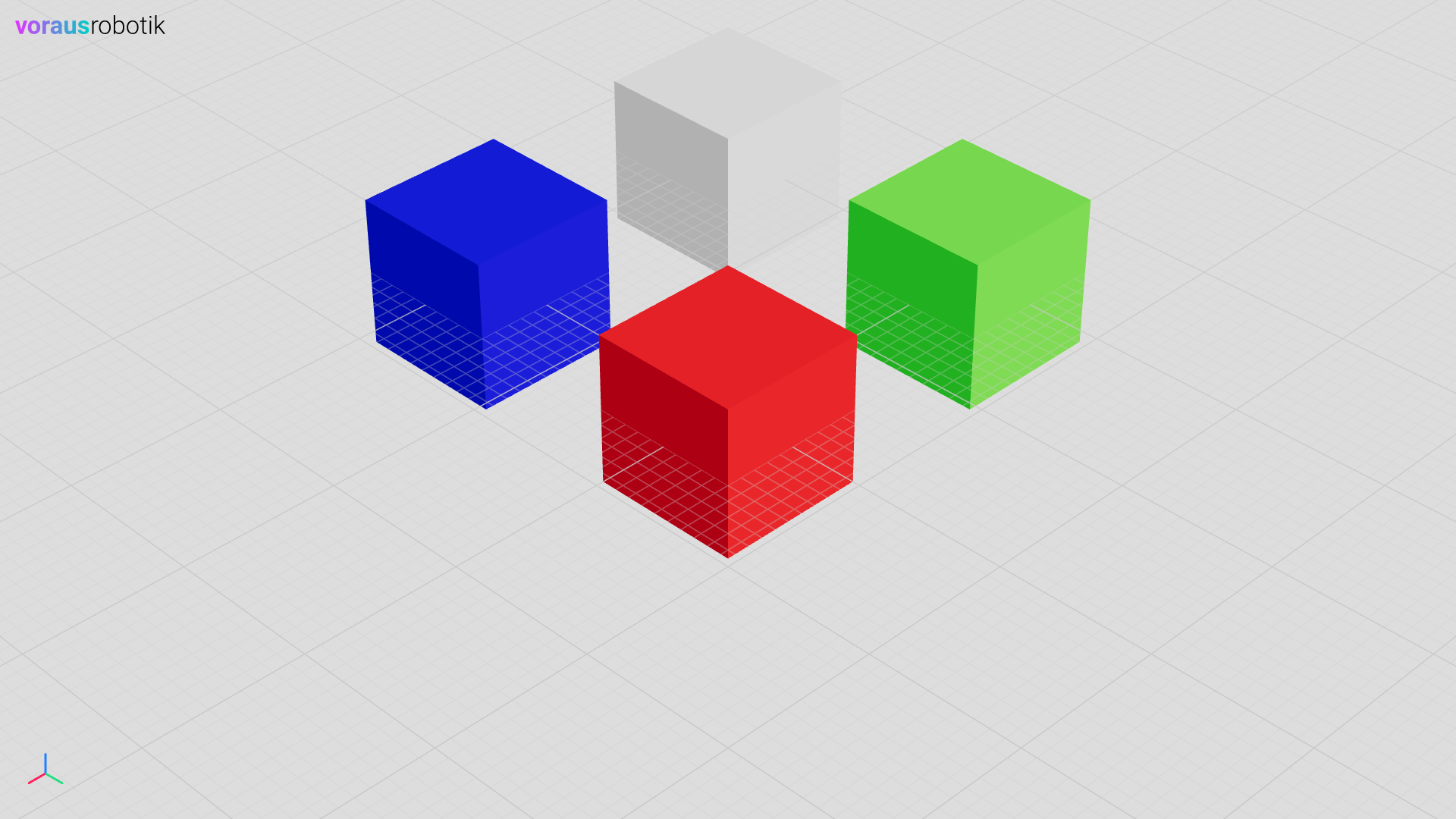
Example:
 1    visu = Visu(voraus_3d_visu, clear_all=True)
 2    material1 = visu.add_mesh_standard_material(color=[0, 0, 0])
 3    material2 = visu.add_mesh_standard_material(color=[0, 0, 0])
 4    material3 = visu.add_mesh_standard_material(color=[0, 0, 0])
 5    material4 = visu.add_mesh_standard_material(color=[0, 0, 0])
 6
 7    visu.add_box(material=material1, position=[0, 0, 0])
 8    visu.add_box(material=material2, position=[-2, 0, 0])
 9    visu.add_box(material=material3, position=[0, -2, 0])
10    visu.add_box(material=material4, position=[-2, -2, 0])
11
12    with visu.connection():
13        visu.update(
14            material1.color.r(0.5),
15            material2.color.g(0.5),
16            material3.color.b(0.5),
17            material4.color.rgb(0.5, 0.5, 0.5),
18        )
 1let mut visu = Visu::new(url, false, false, true, None)?;
 2let material1 =
 3    visu.add_mesh_standard_material([0.0, 0.0, 0.0], MeshStandardMaterialOptions::default())?;
 4let material2 =
 5    visu.add_mesh_standard_material([0.0, 0.0, 0.0], MeshStandardMaterialOptions::default())?;
 6let material3 =
 7    visu.add_mesh_standard_material([0.0, 0.0, 0.0], MeshStandardMaterialOptions::default())?;
 8let material4 =
 9    visu.add_mesh_standard_material([0.0, 0.0, 0.0], MeshStandardMaterialOptions::default())?;
10
11add_box(&visu, &material1.identifier, [0.0, 0.0, 0.0])?;
12add_box(&visu, &material2.identifier, [-2.0, 0.0, 0.0])?;
13add_box(&visu, &material3.identifier, [0.0, -2.0, 0.0])?;
14add_box(&visu, &material4.identifier, [-2.0, -2.0, 0.0])?;
15
16let mut connection = visu.connection()?;
17connection.update(vec![
18    material1.color().r(0.5),
19    material2.color().g(0.5),
20    material3.color().b(0.5),
21    material4.color().rgb(0.5, 0.5, 0.5),
22])?;
For transparency and depth test examples, see Model.