
4.5. Interpolation Filter
To avoid discontinuities in the position, velocity, or acceleration profiles and to generate a jerk-limited trajectory, filters are used in the interpolator. Two filters in a row are applied to the generated motion profiles (Cartesian or joint) as shown in
figure Fig. 17.
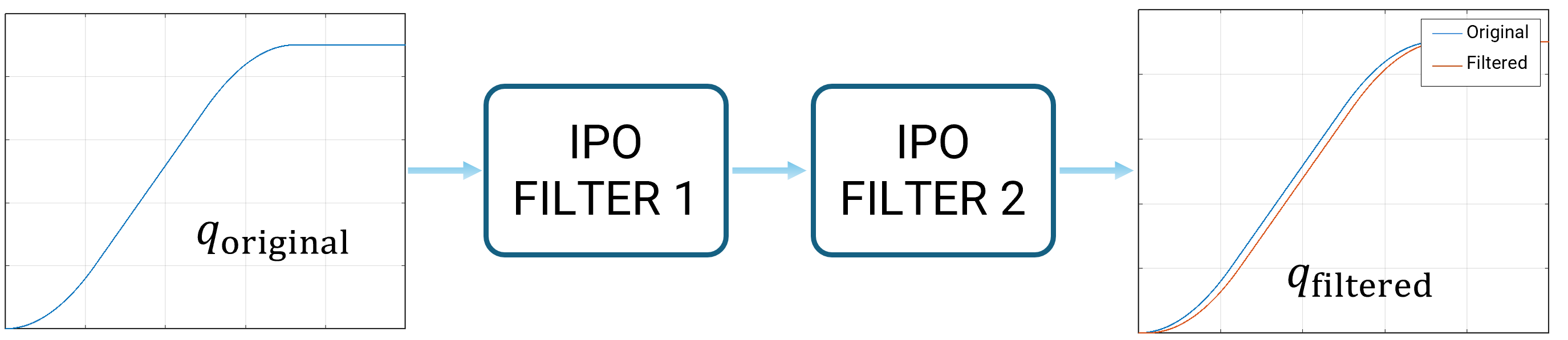
By tuning the filter parameters accelerationSmoothingTime and
jerkSmoothingTime, see Robot Configs, the generated trajectories can be
shaped and the resulting jerk can be configured.
Note
Depending on the type of motion, acceleration and jerk are smoothed in the Cartesian space (translational and rotational) or the joint space.
4.5.1. Determine Parameters
To generate consistent and synchronous profiles, the same filters are applied to all motion profiles.
To limit the jerk, the maximum acceleration and maximum allowed jerk must be considered.
The accelerationSmoothingTime time is then defined as:
If no jerk limit is known the parameter should be chosen such that its inverse is not a multiple of the systems eigenfrequency.
To prevent a jump in the jerk, the jerk profile can also be smoothed by the parameter jerkSmoothingTime.
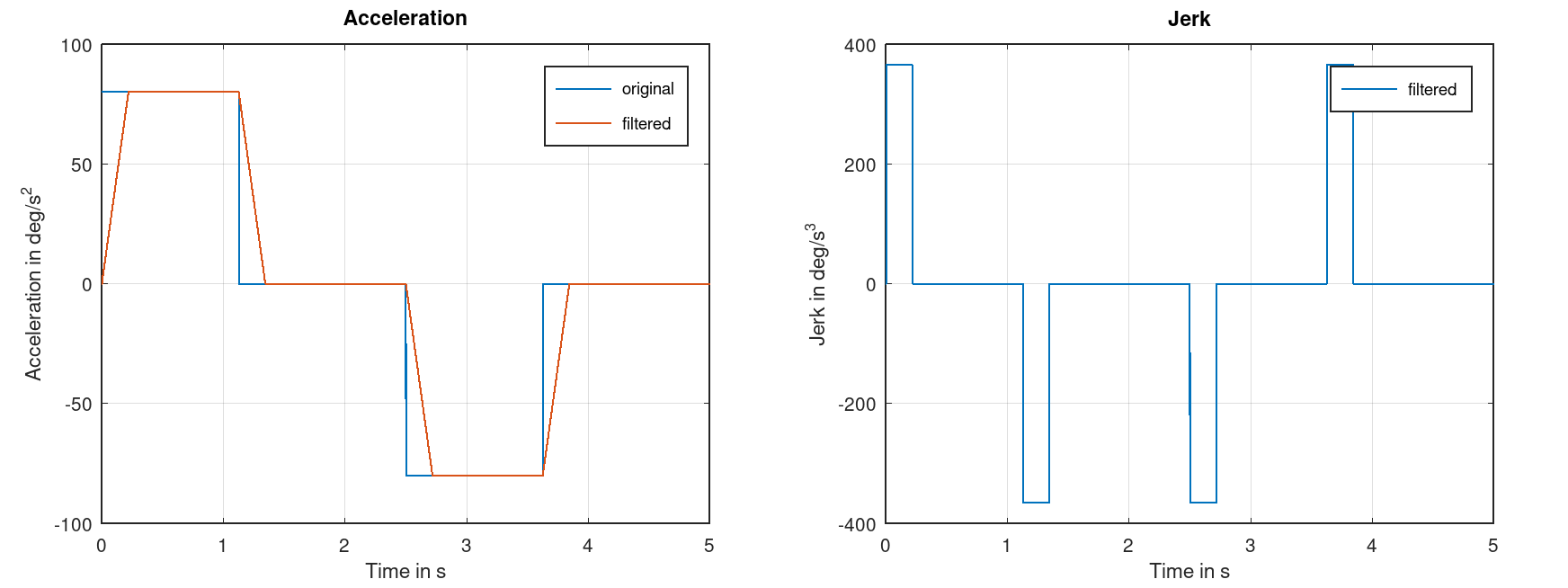
If the parameter is set to its minimum, the jerk profile is discontinuous, see figure Fig. 18. Small values
should be used for high-performance applications, in which short cycle time is required.
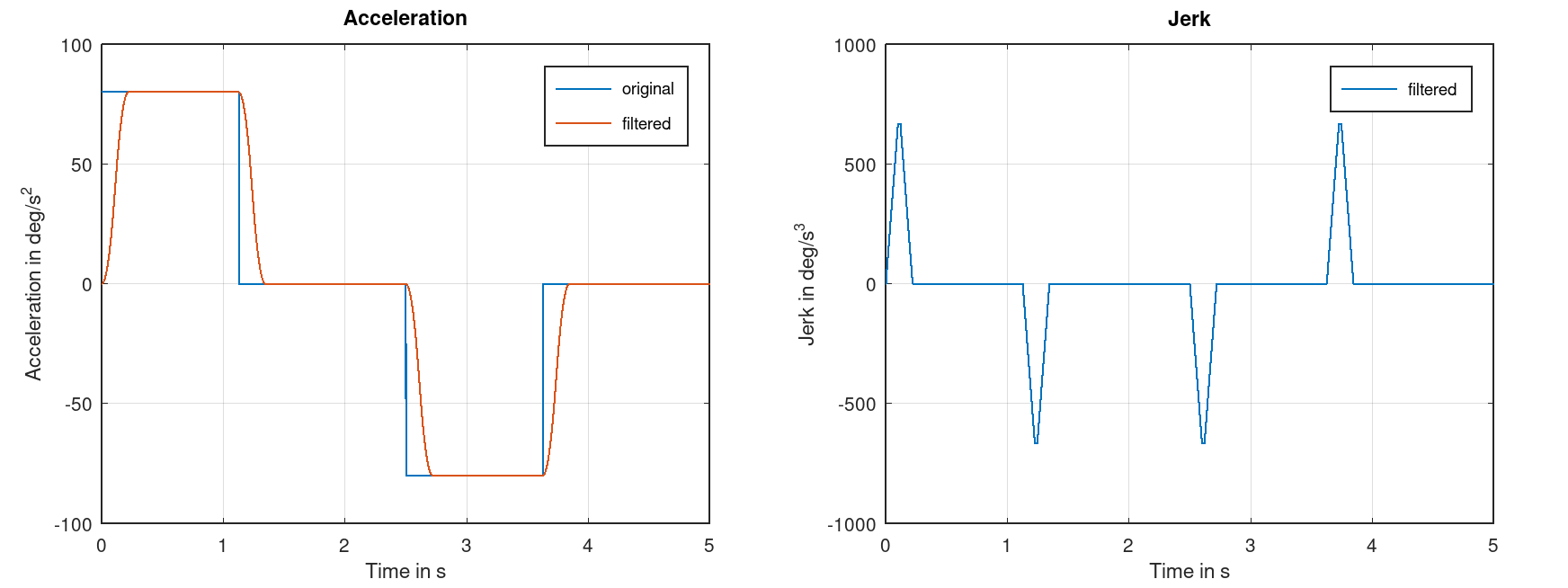
If the system tends to oscillate easily, consider increasing the jerkSmoothingTime for a continuous
jerk profile as shown in Fig. 19.
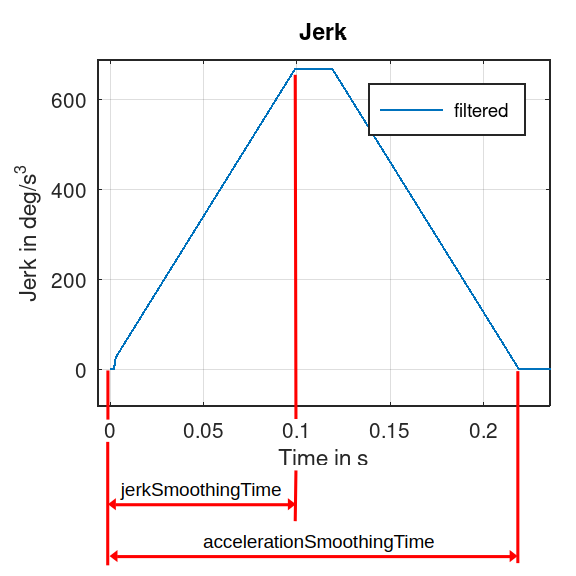
The jerkSmoothingTime and accelerationSmoothingTime parameters are visualized in the jerk
profile in figure Fig. 20.
4.5.2. Effect on Movements
Due to the filtering of the motion profiles, the robot’s motion takes longer each time it comes to a standstill. The
additional duration is identical to the configured accelerationSmoothingTime.
In addition, the Cartesian path for PTP commands and PTP-LIN blending may vary slightly depending on the configured smoothing times.