
Gripper Simulation
The example pick_and_place/simulate_gripper shows how voraus Simulation can be used to simulate a robot’s
interactions with the physical environment, in this example gripping a box.
Used components are:
The example is structured similarly to the previous ones. We use a program that can also be executed in a real environment without modification. Another script enables not only the visualization but also the simulation of the gripping process.
In models there are simulation classes for the robot, the gripper and the box, which are loaded into the
voraus Simulation by executing simulation.py.
python3.11 simulate_gripper/simulation.py
simulation.py:
 1"""Contains the simulation logic, which represents the real system.."""
 2
 3import sys
 4from math import radians
 5from pathlib import Path
 6
 7sys.path.append(str(Path(__file__).parents[1]))
 8
 9
10if __name__ == "__main__":
11    from simulate_gripper.models import Box, Gripper, Robot
12    from voraus_3d_visu import Visu
13    from voraus_simulation import Simulation, StaticObject
14
15    simulation = Simulation(frequency=50, visualization=Visu("http://voraus-3d-visu/", clear_all=True))
16    robot = Robot("opc.tcp://voraus-core:48401/", [0, 0, 0.3], rotation=[0, 0, radians(-20)])
17
18    with simulation.run(), robot.connection():
19        StaticObject(glb_file=None, urdf_path=Path("plane_transparent.urdf"))
20
21        gripper = Gripper()
22        box = Box([0.6, 0.1, 0.2], rotation=[0, 0, radians(15)])
23
24        while True:
25            robot.get_robot_data()
26
27            grasp = robot.robot_data.digital_outputs[1]
28            gripper.update(robot.robot_data.world_flange_pose, grasping=grasp)
29
30            simulation.step()
31            simulation.sleep()
Behavior and functionalities are implemented individually for each simulation object. The box does not contain any special features. It is a passive simulation object that is loaded into the simulation via an OBJ file using URDF (Unified Robot Description Format). To display a box in the voraus 3D Visu, the simulation object is also initialized with a GLB. The position and orientation are updated in the background by the simulation.
models/box.py:
 1"""Contains a box simulation model."""
 2
 3from pathlib import Path
 4
 5from voraus_simulation import DynamicObject
 6
 7models = Path(__file__).parents[2] / "assets/box"
 8
 9
10class Box(DynamicObject):
11    """Defines a box simulation model."""
12
13    def __init__(self, position: list[float] | None = None, rotation: list[float] | None = None) -> None:
14        """Initializes a box simulation model.
15
16        Args:
17            position: The initial position of the box. Defaults to None.
18            rotation:  The initial rotation of the box. Defaults to None.
19        """
20        glb_path = models / "box.glb"
21        urdf_path = models / "box.urdf"
22        super().__init__(glb_path, urdf_path, position, rotation)
The gripper simulation object from models/gripper.py has to be updated based on the robot position.
To do this, it is given an update method to create so-called constraints to the flange pose. Furthermore, the update
method receives logic for gripping objects. If the gripper is to grip, contact points are calculated by the simulation
and a constraint is also created to the touched object. If the gripper pose changes, the pose of the object
connected via constraint also changes. This simulates a gripping process.
The robot itself is not loaded into the simulation engine in this example. However, we use the voraus Simulation to
automatically load the static visualization objects into the voraus 3D Visu. In models/robot.py, a cube on
which the robot is mounted is defined in addition to the robot object. In addition to the visualization logic,
the robot instance also contains methods for communicating with the voraus.core.
Our program is defined in program.py. When executed, a tool offset is set and after clicking on the
enter key, the robot is moved to the gripping pose.
python3.11 simulate_gripper/program.py
program.py:
 1# pylint: disable=protected-access
 2"""Contains the program which controls the robot."""
 3
 4from math import radians
 5
 6from voraus_robot_arm import CartesianPose, JointPose, VorausIndustrialRobotArm, y
 7
 8home = JointPose(0, -1.57, 1.57, -1.57, -1.57, 0)
 9scan = JointPose(radians(-63), radians(-131), radians(80), radians(-80), radians(-60), radians(-10))
10pre_pick = CartesianPose(0.5, 0.3, -0.05, -radians(180), 0, -radians(180))
11pick = CartesianPose(0.5, 0.3, -0.128, -radians(180), 0, -radians(180))
12offset = -0.6
13
14
15if __name__ == "__main__":
16    robot = VorausIndustrialRobotArm()
17
18    with robot.connect("voraus-core", port=48401):
19        robot._driver.tool.set_offset(CartesianPose(0, 0, 0.103, 0, 0, 0))
20        robot.activate()
21
22        input("Press <enter> to pick the box.")
23        robot.move_ptp(pre_pick)
24        robot.move_linear(pick).result()
25        robot._driver.dio.set_digital_output(pin=2, value=True)
26
27        robot.move_ptp(scan)
28
29        input("Press <enter> to place the box.")
30        robot.move_ptp(pre_pick + y(offset)).result()
31        robot._driver.dio.set_digital_output(pin=2, value=False)
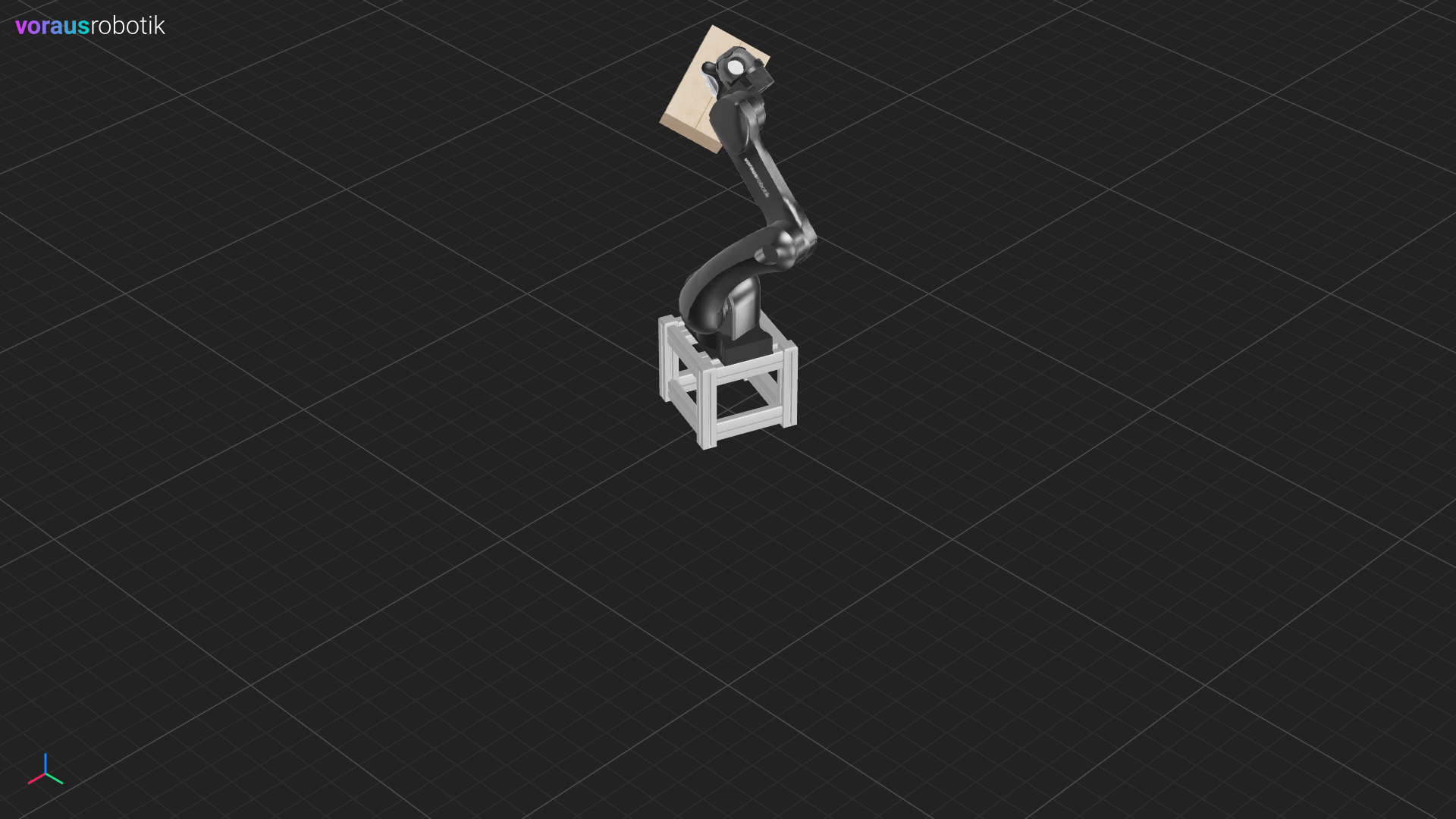
We set digital output 2 to high to trigger a gripping process. The gripper in our simulation also listens to this output and grabs the box. The robot then moves to the position shown in Fig. 29.
After pressing the enter key again, the robot moves to the place pose and sets the box down again by setting digital output 2 to low as shown in Fig. 30.
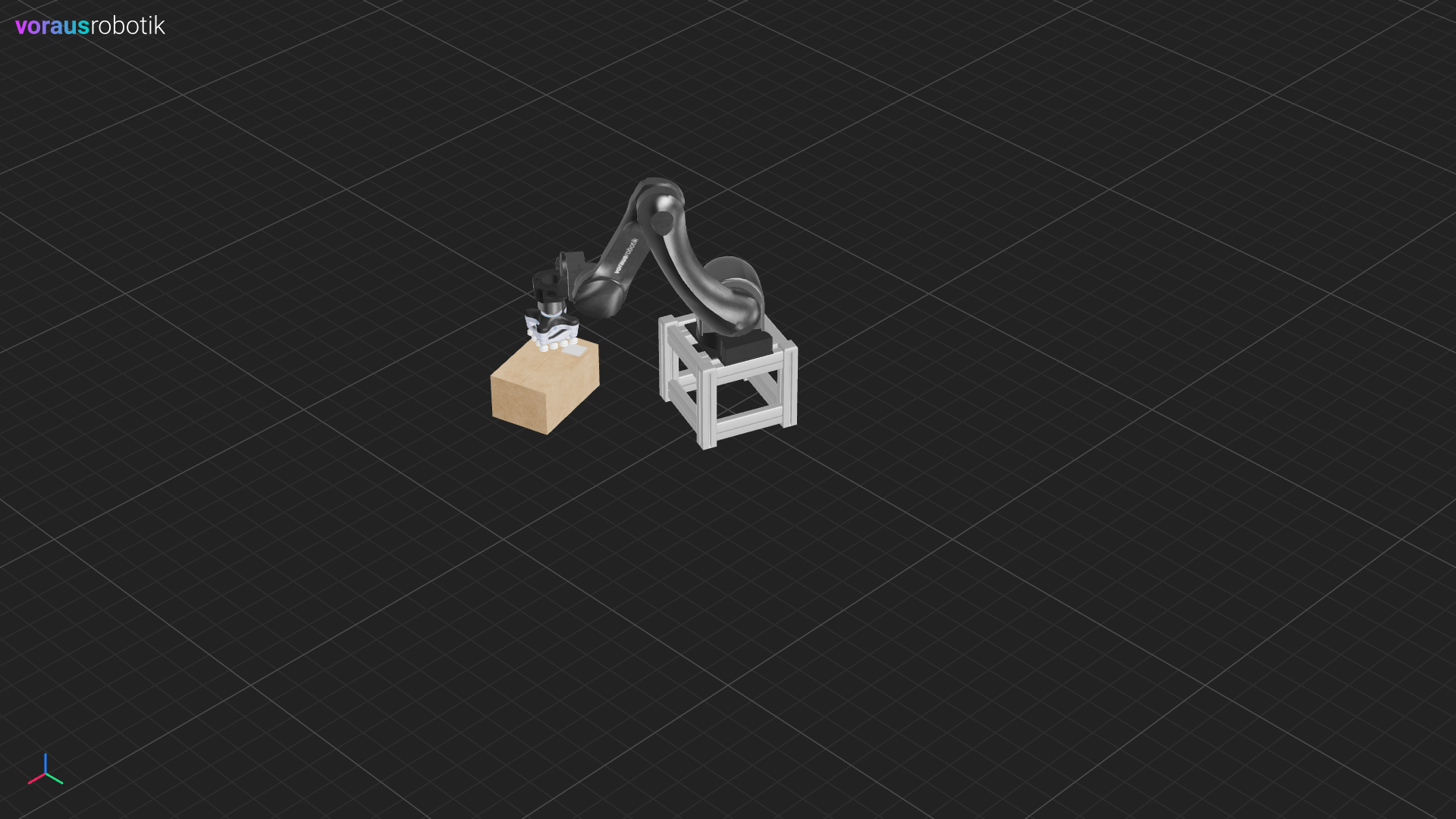
Fig. 30 Simulated box poses after the program has been executed