
Pick and Place Simulation
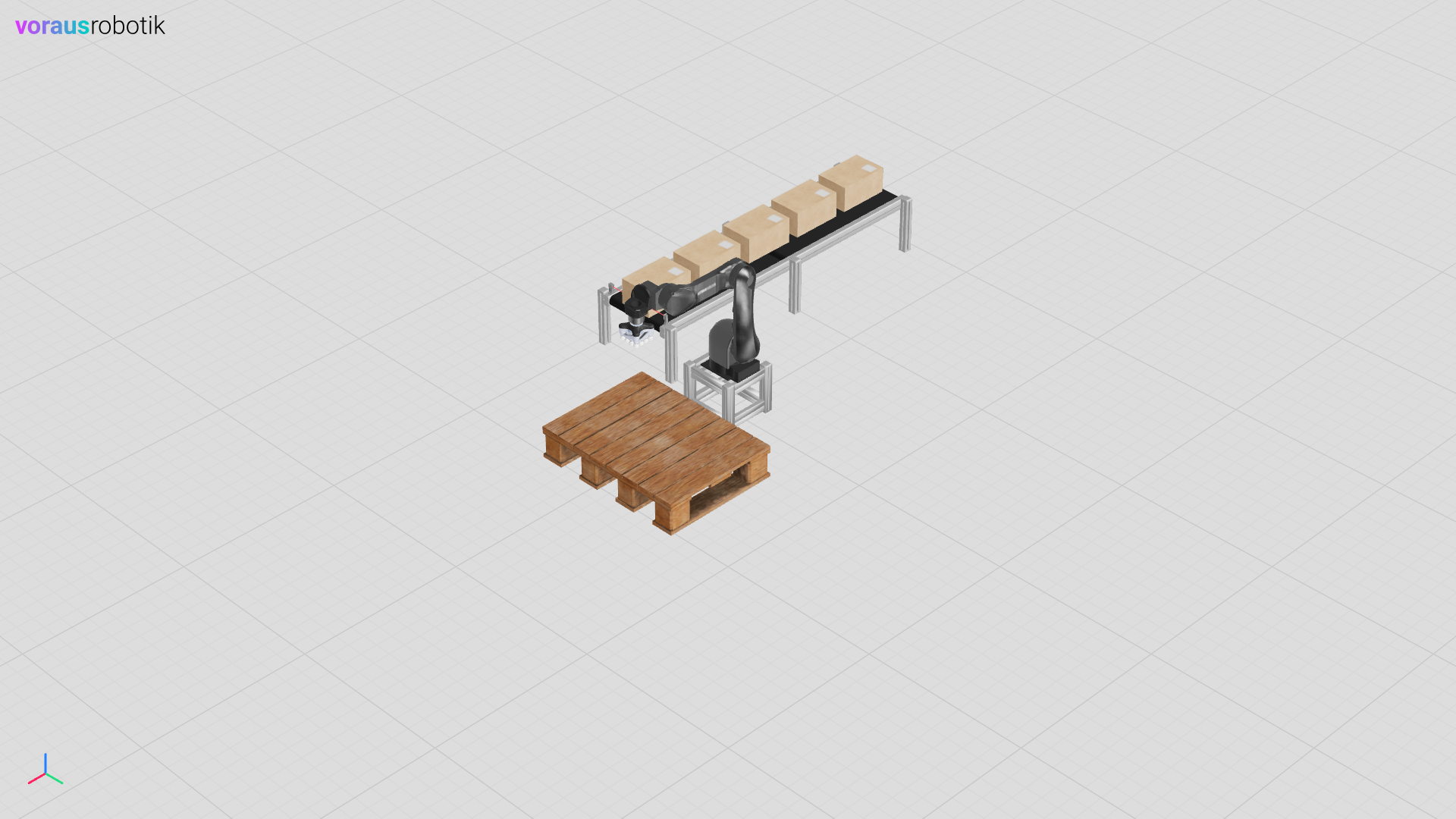
The previously defined models are combined for the pick and place simulation, see Fig. 25. In addition, the reactions of the real system are implemented in Python.
Simulation Properties
The following properties apply to pick and place simulation:
The boxes are dynamic objects with physics.
The robot pose is synchronized with the voraus.core.
The TCP position is synchronized with the voraus.core.
A digital output is used for gripper open / close.
A digital input is used for the signal of the light barrier.
The properties above are fundamental for many other automation tasks which can be build upon this example easily.
Run the Simulation
Open a terminal in VS Code and start the simulation.py Python script with the following command:
python simulation.py
Open localhost:8077 in your web browser to display the simulation as shown in Fig. 25.
The Simulation Python File
First, the simulation is initialized with a frequency of 50 Hz and the visualization backend is specified. Then the models for the robot, the TCP, the conveyor belt, the pallet, and the light barrier are initialized. In a for loop, 5 boxes are placed on the conveyor belt and the digital inputs and outputs are initialized. The simulation logic is calculated in a while loop, whereby the robot data are read first. The conveyor belt and the gripper status are set based on digital outputs. The status of the light barrier is then read, and the digital input is set. Finally, the next simulation step is calculated, the conveyor belt is reset, and the system waits until the next step to be calculated.
 1"""Contains the simulation logic, which represents the real system.."""
 2
 3from argparse import ArgumentParser
 4from pathlib import Path
 5
 6from models import TCP, Box, Conveyor, LightBarrier, Pallet, Robot
 7from voraus_3d_visu import Visu
 8
 9from voraus_simulation import Simulation, StaticObject
10
11if __name__ == "__main__":
12    parser = ArgumentParser()
13
14    simulation = Simulation(frequency=50, visualization=Visu("http://voraus-3d-visu/"))
15    robot = Robot("opc.tcp://voraus-core:48401/", [0, 0, 0.3])
16
17    with simulation.run(), robot.connection():
18        StaticObject(glb_file=None, urdf_path=Path("plane_transparent.urdf"))
19        tcp = TCP(position=robot.robot_data.tcp_position, use_constraints=True)
20        conveyor = Conveyor([-0.95, -0.70, 0], rotation=[0, 0, 0], velocity=0.5)
21        pallet = Pallet(position=[0.65, 0.10, 0.11])
22        light_barrier = LightBarrier([0.01, -0.70, 0.35])
23
24        for i in range(5):
25            Box([-1.8 + i * 0.4, -0.7, 0.43])
26
27        robot.set_digital_output(0, False)
28        robot.set_digital_output(1, False)
29
30        while True:
31            robot.get_robot_data()
32
33            conveyor.update(robot.robot_data.digital_outputs[1], velocity=0.5)
34
35            grasp = robot.robot_data.digital_outputs[0]
36            tcp.update(robot.robot_data.world_position, robot.robot_data.world_quaternion, grasping=grasp)
37
38            trigger = not light_barrier.is_clear()
39            robot.set_digital_output(2, trigger)
40            simulation.step()
41            conveyor.reset_pose()
42            simulation.sleep()